
Input
Images
Upload screenshots and app details.
Free screenshot preview tool
Upload screenshots and preview how they appear in App Store search results. Toggle device models, dark/light mode, and orientation. Export as PNG. No signup required.
Demo walkthrough
Assets
Plan your day
Focus timer
Weekly trends
Productivity · 4.6 ★
Screenshot 1 text is too small
The first image should communicate the outcome before the user taps.
Before
Feature text is tiny
After
Outcome is readable
Assets uploaded
Upload screenshots and app details
Add screenshots, the app icon, app name, and subtitle so the preview looks like an actual App Store search result.
Demo walkthrough
The screenshot demo shows the practical loop: upload screenshots, view them inside a search result, switch device and display settings, then spot readability or conversion problems before publishing.
Input
Images
Upload screenshots and app details.
Output
Mockup
Preview search-result readability.
Why
Trust
First image must explain the outcome fast.
Add screenshots, the app icon, app name, and subtitle so the preview looks like an actual App Store search result.
Toggle iPhone size, light or dark mode, and orientation to catch text that only breaks in one context.
The first screenshot is inspected in the same cramped search-result space users see before they tap.
Export the preview as a PNG so the team can review screenshot clarity before shipping the listing update.
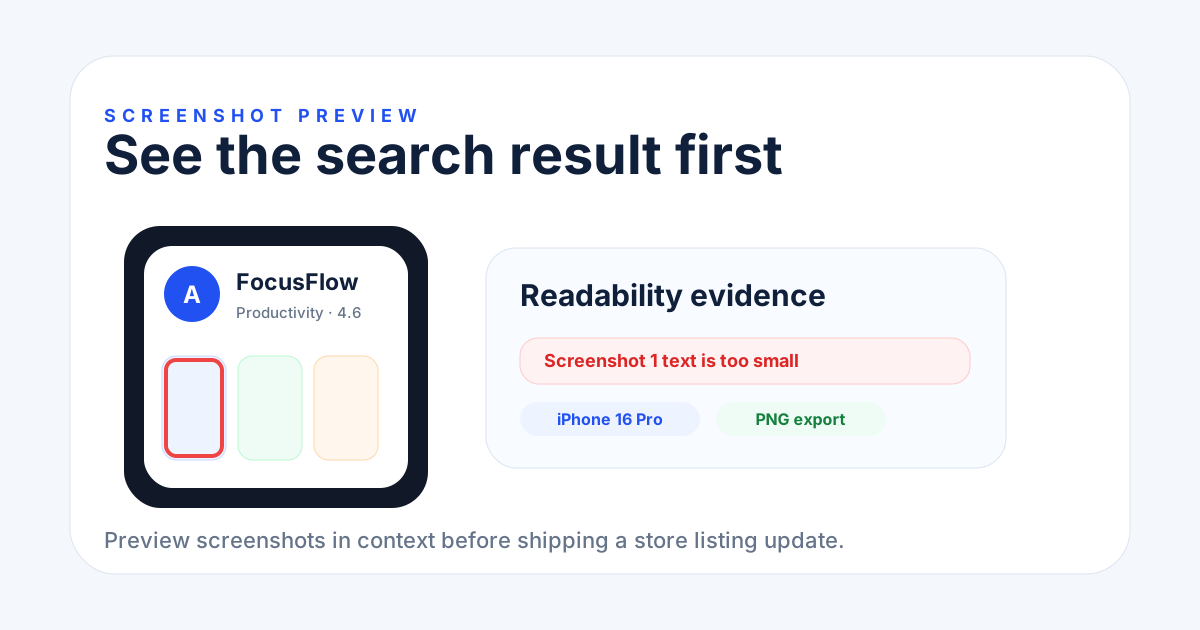
Before and after should be visible in context.
The visual proof focuses on the first search-result screenshot, readability warnings, and an exportable mockup instead of a decorative phone image.
Screenshot preview
Upload screenshots, enter your app details, and toggle device model, color mode, and orientation to see how your listing looks in search results.
Drop screenshots here or click to upload
PNG, JPG, or WEBP · 0 / 10
Your App Name
Your app subtitle
What you get
See your screenshots in context before publishing. Check readability, contrast, and visual impact across devices and modes.
Drag and drop up to 10 screenshots and see them inside a realistic App Store search result card. Add your app icon, name, and subtitle for a complete preview.
Switch between iPhone 16 Pro, iPhone 15, and iPhone SE to see how screenshots render at different screen sizes and aspect ratios.
Toggle between dark and light App Store themes. Check that your screenshot text and colors are readable in both modes.
Preview portrait and landscape screenshots side by side. See how orientation affects the visible area in search result thumbnails.
Download the full search result mockup as a high-resolution PNG. Use it in presentations, app store listing reviews, or social media posts.
The preview tool is fully responsive. Upload and review screenshots from your phone, tablet, or desktop browser.
How it works
Upload your screenshots, customize the preview, and download or share the mockup.
Drag and drop your app screenshots into the upload zone. Add your app icon, name, and subtitle to complete the mockup.
Select the target device model, toggle between dark and light mode, and switch between portrait and landscape orientation.
Export the search result mockup as a PNG image. Share it with your team or post it on social media to get feedback before publishing.
Upload your app screenshots and see exactly how they appear in an App Store search result card. Toggle between device models, dark/light mode, and portrait/landscape to check readability and visual impact before publishing.
The tool supports iPhone 16 Pro (6.3"), iPhone 15 (6.1"), and iPhone SE (4.7"). Each device uses its actual screen aspect ratio and corner radius for accurate previews.
Yes, completely free with no signup or email required. Upload screenshots, preview them, and export as PNG as many times as you need.
Click the Download button to export the search result mockup as a PNG image. The export captures the full card including your app icon, name, subtitle, and screenshot thumbnails.
Yes, the tool is fully responsive and works on mobile browsers. Upload screenshots from your camera roll and preview them on the go.
Run a free ASO audit to see if your title, subtitle, description, and keywords are optimized for search visibility.