
Interactive checklist
Check the ASO basics across metadata, visuals, ratings, freshness, and localization.
Free ASO checklist 2026
Check metadata, keywords, visuals, ratings, freshness, and localization before release.
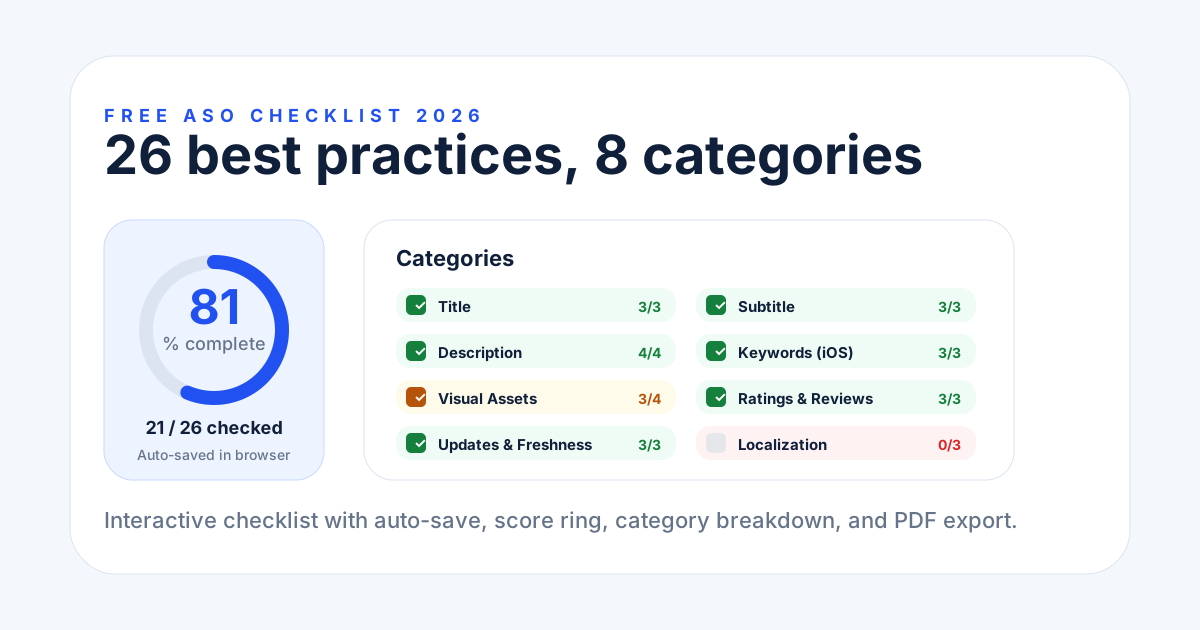
ASO checklist
Mark what is done, see the score, and export the result.
Guide
Keep the interactive checklist first, then use these short guide blocks to understand each release check.
Check the ASO basics across metadata, visuals, ratings, freshness, and localization.
Progress stays in your browser so you can finish the review later.
Download the score card or PDF when you need to share the review.
Checklist sections
These sections keep SEO copy crawlable without making the page feel like a long article.
Choose a small set of primary and secondary keywords before editing title, subtitle, keyword field, or description.
Keep the strongest term near the front, avoid repetition, and make the listing readable before adding more keywords.
Use the App Store keyword field for concise terms, avoid spaces after commas, and do not repeat words already in title or subtitle.
Use natural keyword coverage in short and full descriptions, then check whether the first lines explain the app quickly.
Show the core benefit in early screenshots, keep claims readable, and make the icon consistent with the app category.
Check rating quality, review themes, update cadence, and whether the latest release notes support the current metadata promise.
Confirm market priority, translated metadata, localized screenshots, and QA before expanding the listing to a new locale.
Repeat the app store optimization checklist every quarter or after a major feature, keyword, or screenshot change.
The checklist covers 26 ASO best practices across 8 categories: title, subtitle, description, keywords, visual assets, ratings and reviews, update freshness, and localization.
Yes, the interactive checklist and score card export are completely free with no signup. Enter your email only if you want to download the PDF version.
Yes. Your checked items are saved in your browser localStorage. When you return to the page, your progress is restored automatically.
Yes. Download the score card as a PNG image or share your completion percentage directly on X (Twitter) with one click.
Yes. The checklist covers ASO best practices that apply to both platforms. Some items note platform-specific differences like iOS keyword field vs Android description keywords.
The list is a one-time snapshot. Developer plan ($9.99/mo) watches your listing daily and flags any item that breaks — keyword density drift, title length, screenshot count. Cancel anytime.